NetCast

Multi-Channel Auracast Transmitter with PoE & Local Web UI

Broadcast up to four mono or two stereo programs with balanced inputs, PoE and local Web UI configuration.

£1,399.99
Ask a Question

Checking the fastest delivery option…

Fast ShippingReliable Delivery
60-Day Free ReturnsHassle-Free
Bulk DiscountVolume Pricing Available
Free Setup SupportVenue Specialist Included
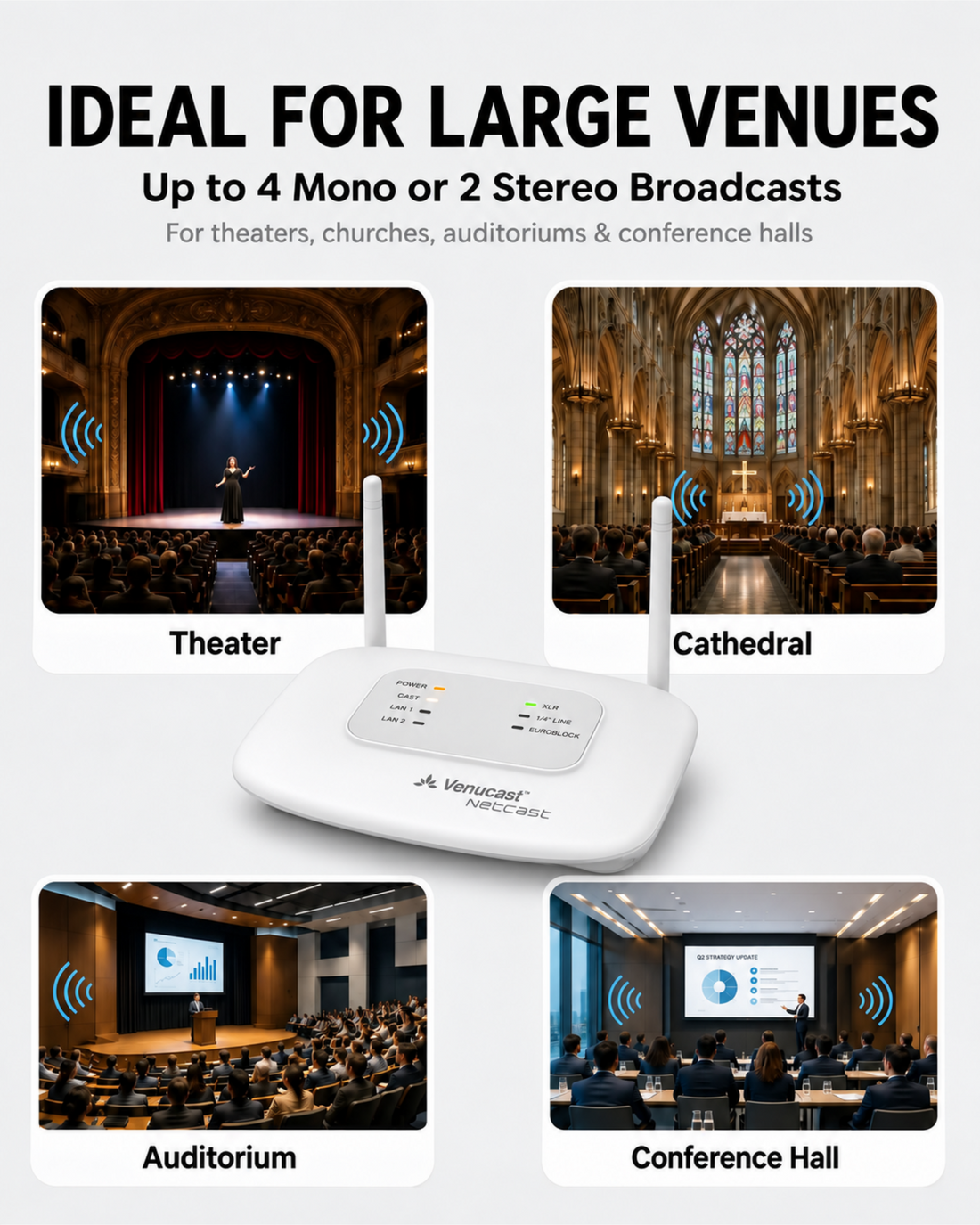
  • Up to 4 Simultaneous Broadcasts – Send four independent mono programs or two stereo programs. Listeners choose their preferred broadcast on compatible devices.
  • Flexible Audio Modes – Choose four mono, two stereo, two mixed-mono programs, or one stereo source shared across two separately configured broadcasts.
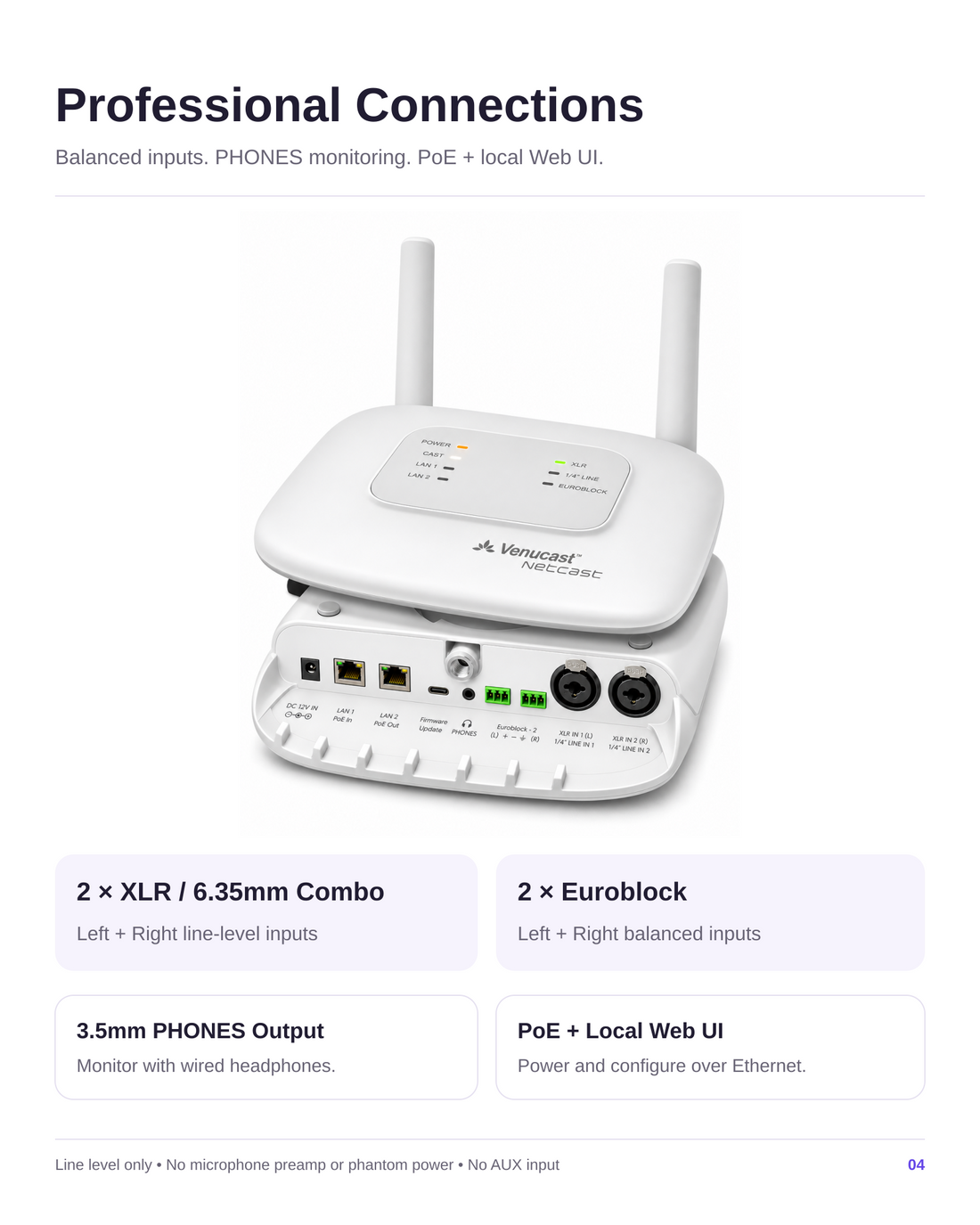
  • Works Alongside Your Existing PA – Connect balanced line-level outputs from mixers and processors through XLR / 6.35mm combo and Euroblock inputs.
  • Local Web UI Configuration – Set broadcast names, passwords, audio levels and available audio configurations through a browser on your local network.
  • PoE for Fixed Installations – Power NetCast over Ethernet or with a 12V DC adapter. Published coverage is up to 200 m (656 ft) line of sight; actual range varies.
  • Flexible Listening Options – Works with compatible Auracast hearing aids, headphones and receivers. Guests without Auracast devices can use a venue receiver with wired headphones.
NetCast £1,399.99

01 · Best for

Best For

Selectable venue audio for worship, education and live events

  • Churches & Worship SpacesOffer the main service plus separate interpretation feeds, so each listener can choose their program.
  • Theaters & AuditoriumsProvide separate feeds for program audio, audio description or interpretation supplied by your venue audio system.
  • Lecture Halls & ClassroomsProvide selectable program or interpretation feeds within the covered teaching or presentation space. Plan separate rooms individually.
  • Conference VenuesBroadcast the main program plus up to three externally supplied interpretation feeds in four-mono mode.

Before buying

Compatibility

Check the audio source feeding NetCast and how each listener will hear the broadcast.

A. Audio source compatibility

Connect professional line-level audio

  • 2 × XLR / 6.35mm combo
  • 2 × Euroblock / Phoenix
  • Balanced line-level outputs from a mixer or processor

B. Listening device compatibility

Choose a direct or receiver-assisted path

Auracast hearing aids
Choose your preferred broadcast on compatible Auracast hearing aids. Supported audio configurations and selection methods vary by device.
Venue receivers and headphones
Compatible Auracast receivers and headphones give guests additional listening options.
Check Hearing Aid Compatibility
Not sure NetCast is right for your space? Find My Setup

Each independent program needs its own audio feed. NetCast does not generate translations. Multiple broadcasts share one transmitter's coverage area; plan separate rooms individually. Use compatible Auracast hearing aids, receivers and headphones. Supported audio configurations, usable range and selection methods depend on the listening device and venue.

02 · Addons & Accessories

View all add-ons & accessories

03 · Product Details

What's Included

  • 1 × NetCast Transmitter
  • 1 × 12V Power Adapter
  • 1 × Cat6 Ethernet Cable
  • 3 × Euroblock Connectors
  • 1 × Flathead Screwdriver
  • 1 × USB-C Firmware Update Cable

How It Works

Simple by design

Give listeners a choice of venue audio

Feed separate programs from an external mixer, processor or interpretation system into NetCast. Configure broadcast modes through the local Web UI, then test each feed and coverage onsite.

  • Up to four mono or two stereo programs
  • Professional balanced line-level inputs
  • PoE or supplied 12V DC power
1
Audio feeds Supply separate balanced line-level programs from a mixer or processor.
2
NetCast Connect audio, power and the local network; configure broadcasts through the Web UI.
3
Selectable broadcasts Choose four mono or two stereo programs within the transmitter coverage area.
4
Listening devices Select one broadcast using compatible Auracast hearing aids, headphones or receivers.

Technical Specifications

Bluetooth version
Bluetooth 5.4
Bluetooth profiles
PBP, TMAP
Audio codec
LC3
Audio inputs
2 × balanced XLR / 6.35mm combo + 2 × Euroblock line-level inputs
Monitoring output
3.5mm PHONES output for wired headphones
Published range
Up to 200m / 656ft line of sight
Power
12V / 2A DC or PoE
Firmware upgradable
Yes (DFU support)
Dimensions
25 × 20 × 4.5 cm
Weight
540 g
SKU
VTC-650

04 · Setup & Config

Setup Downloads

Venue signage, listener materials, and hearing-aid connection guides.

View downloads

Troubleshooting

Get help with NetCast audio feeds, local Web UI configuration, power and listening devices.

Get help

Compare Alternatives

FeatureNetCastAirCastOasis AuraDG60 Aura
Best forMultiple programs, PoE and local Web UIOne shared program from a mixer or audio sourceSimple local or TV audioComputer audio streaming
Choose whenNeed separate programs or PoE / browser configurationNeed one program and straightforward setupNeed simple local audio connectionsNeed to broadcast computer audio
Typical venuesLarge churches, theaters, auditoriums, lecture hallsMid-size churches, theaters, museums, conference hallsMeeting rooms, small-to-medium churches, community hallsClassrooms and community events
Audio inputsBalanced XLR / 6.35mm combo and EuroblockBluetooth, XLR / 6.35mm combo, AUXBluetooth, 6.35mm, AUX, opticalUSB-A
CoverageUp to 200m / 656ft LOSUp to 150m / 492ft LOSUp to 100m / 328ft LOSUp to 50 m (164 ft) LOS
Simultaneous broadcastsUp to 4 mono or 2 stereo111
Setup / powerLocal Web UI; PoE or 12V DCPC Tool; USB-C powerPC ToolPlug and play

Choose AirCast for one shared program when its coverage and power options suit your venue. Choose NetCast for multiple simultaneous programs, two independent stereo programs, PoE power or local Web UI configuration. Dante alone does not require NetCast: both can use a suitable external Dante-to-analog output adapter. Plan and test coverage onsite rather than choosing by seat count alone.

Common Questions

NetCast FAQ

When should I choose NetCast instead of AirCast?

Choose AirCast when everyone needs the same program and its coverage and power options suit your venue. Choose NetCast for multiple simultaneous programs, two independent stereo programs, PoE power or local Web UI configuration. Both use one-to-many Auracast broadcasting; more listeners alone do not require NetCast.

How many broadcasts can NetCast transmit?

NetCast transmits up to four independent mono broadcasts or two stereo broadcasts simultaneously, depending on the selected mode. In four-mono mode: XLR L → Broadcast 1; XLR R → Broadcast 2; Euroblock L → Broadcast 3; Euroblock R → Broadcast 4. Listeners select one program on a compatible listening device. Four broadcasts do not mean four independently covered rooms.

Which audio inputs are supported?

NetCast accepts four balanced line-level inputs through two XLR / 6.35mm combo inputs and two Euroblock inputs. It does not accept microphone-level signals or provide phantom power. Connect microphones through an external mixer or microphone preamp. The standard TC650 does not include AUX, Bluetooth audio input, native Dante or AI translation.

Can I use NetCast with a Dante audio system?

Yes, through an external Dante-to-analog output adapter, sold separately. Route the required Dante feeds to the adapter, then connect its balanced line-level analog outputs to NetCast. Choose an Analog Output adapter, not an Analog Input model. NetCast's Ethernet port is for local configuration and PoE; it does not receive Dante audio directly.

How many Dante adapter channels do I need?

One mono program needs one analog output channel; two mono programs or one stereo program need two. Four independent mono programs or two stereo programs need four analog output channels, provided by a compatible four-channel output interface or two dual-channel output adapters. Confirm adapter power, output level, connectors and Dante routing before ordering. AirCast can also use a suitable Dante-to-analog output adapter; Dante alone is not a reason to choose NetCast.

Does NetCast translate audio into different languages?

No. For example, a conference can feed the main program, Spanish interpretation, Mandarin interpretation and French interpretation into four-mono mode. Each feed must come from an external interpreter or translation system. NetCast broadcasts the supplied audio.

What is the expected coverage?

The published line-of-sight range is up to 200m / 656ft. Walls, interference, people and venue layout can reduce usable coverage.

Can NetCast use Power over Ethernet?

Yes. NetCast can be powered by PoE or the supplied 12V DC adapter.